Connect legacy controls
Send and receive NC files over a serial RS232 interface from Windows 11, 10 or 7.



For machine shops, CNC operators and CAD/CAM workstations
Transfer NC programs by RS232, edit code, update tool offsets and solve everyday machining calculations in one focused Windows application.
No order is required to download the trial version.
One practical toolbox
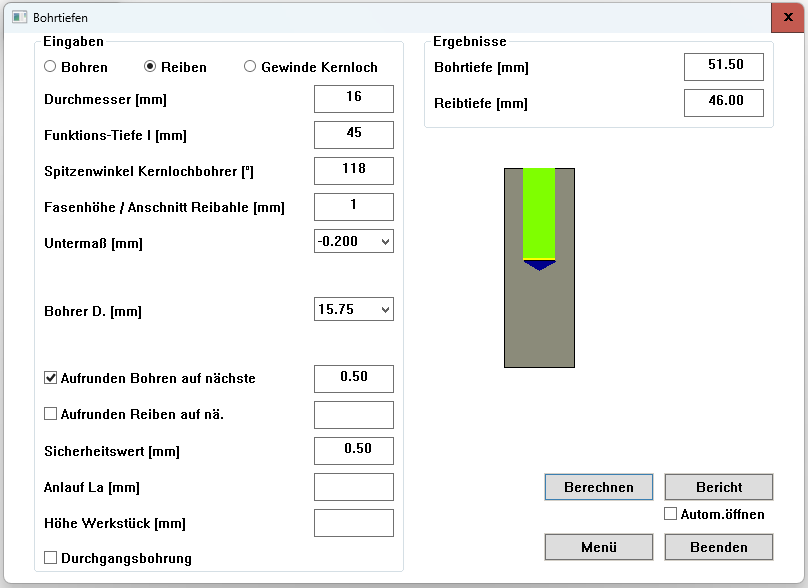
SIMmachina Tools supports the work between CAD/CAM, the programming PC and the machine—without trying to replace your existing CAD/CAM system.
Send and receive NC files over a serial RS232 interface from Windows 11, 10 or 7.
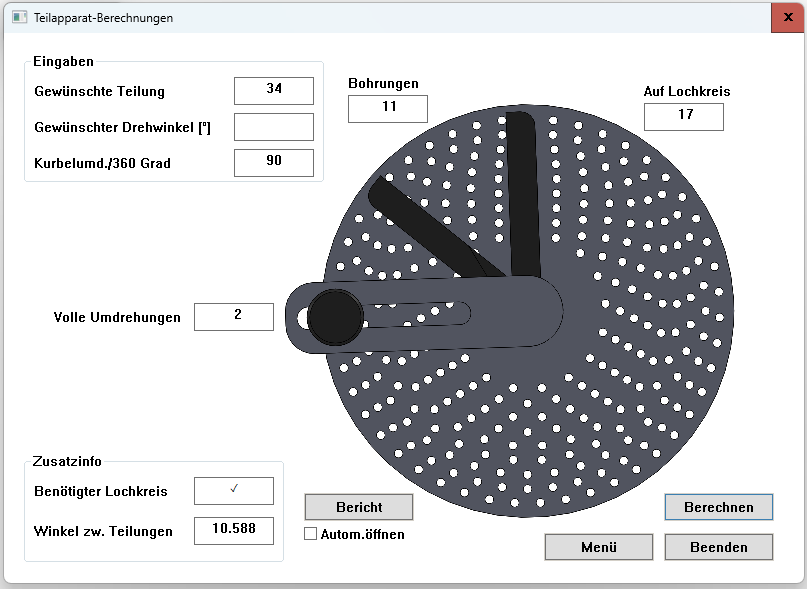
Calculate depths, coordinates, feeds, speed steps and clamping dimensions without searching through tables.
Store tools and machine-specific settings, create tool cards and update supported tool offsets before transfer.
Protect your investment
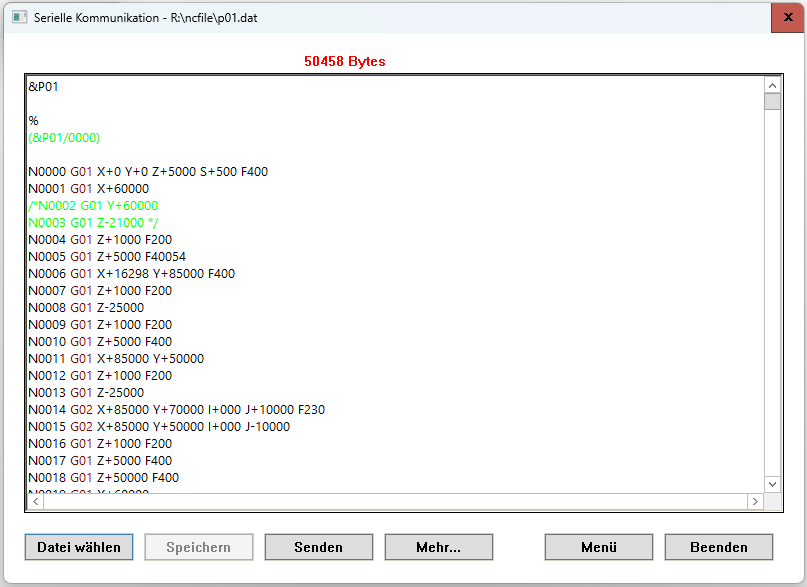
Continue using productive machines from the 1980s and 1990s while moving program preparation and data management to a current Windows PC.
Calculate with confidence
Avoid preventable mistakes
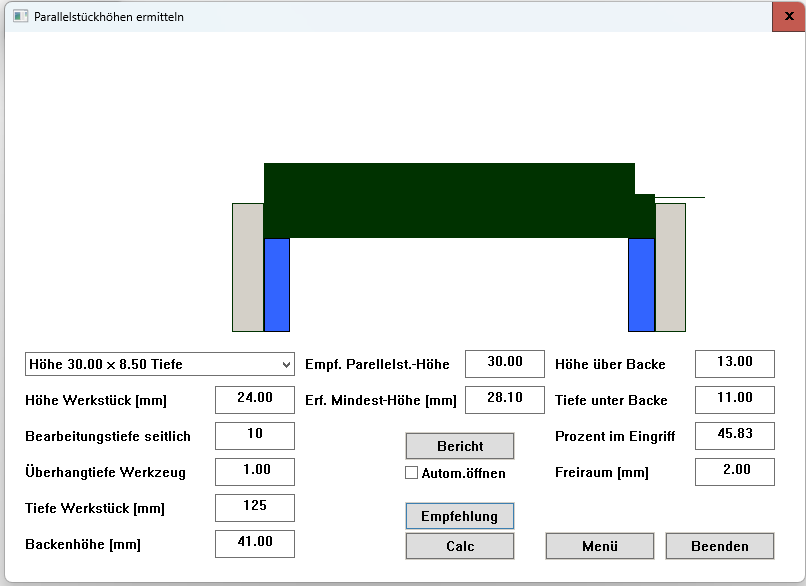
Determine a suitable parallel height and visualize whether the planned machining depth risks contact with the vise jaws. Store the parallels and jaw height available at each workstation.
Compare editions
Compare the functions included in Light, SIMmachina Tools and Plus, and test the software with the 30-day trial.
On smaller screens, scroll horizontally to see all editions.
| Function | Light | SIMmachina Tools | Plus |
|---|---|---|---|
| Cutting data calculator | ✓ | ✓ | ✓ |
| RS232 serial communication | ✓ | ✓ | ✓ |
| Update tool data in the NC file | — | ✓ | ✓ |
| NC editor with line numbering and syntax highlighting | ✓ | ✓ | ✓ |
| Coolant concentration calculator | — | ✓ | ✓ |
| Off-center turning | — | ✓ | ✓ |
| Parallels calculator | — | ✓ | ✓ |
| Sine bar | — | ✓ | ✓ |
| Dividing head calculator | — | ✓ | ✓ |
| Tool database | — | ✓ | ✓ |
| Machine slots (up to 500 tools per machine) | 1 | 3 | 10 |
| Generate tool information cards | — | ✓ | ✓ |
| Read tool numbers with a barcode scanner * | — | ✓ | ✓ |
| Drilling depths | — | — | ✓ |
| Flange calculator | — | — | ✓ |
| Dowel pin calculator | — | — | ✓ |
| General calculations and conversions | — | — | ✓ |
| Precise cut-to-length / parting-off calculation | — | ✓ | ✓ |
* Supports common barcode formats such as Code 39 and Code 128. The scanner must transmit the tool number followed by Return.
Would you like to continue using SIMmachina Tools after the trial? Contact us for information about the available editions and licence conditions. Your inquiry is non-binding.
Ask about a licenceEvaluate it on your own machine
Install the program, create a machine profile and test the workflow at your own pace. For continued use after the trial, you can inquire about a licence by email. Choose the installer matching your Windows installation.
64-bit is recommended for most Windows 10 and Windows 11 systems.
Need a company-specific calculation?
HORUS Robotics can develop private calculation libraries that integrate directly into SIMmachina Tools and remain exclusive to the commissioning customer.